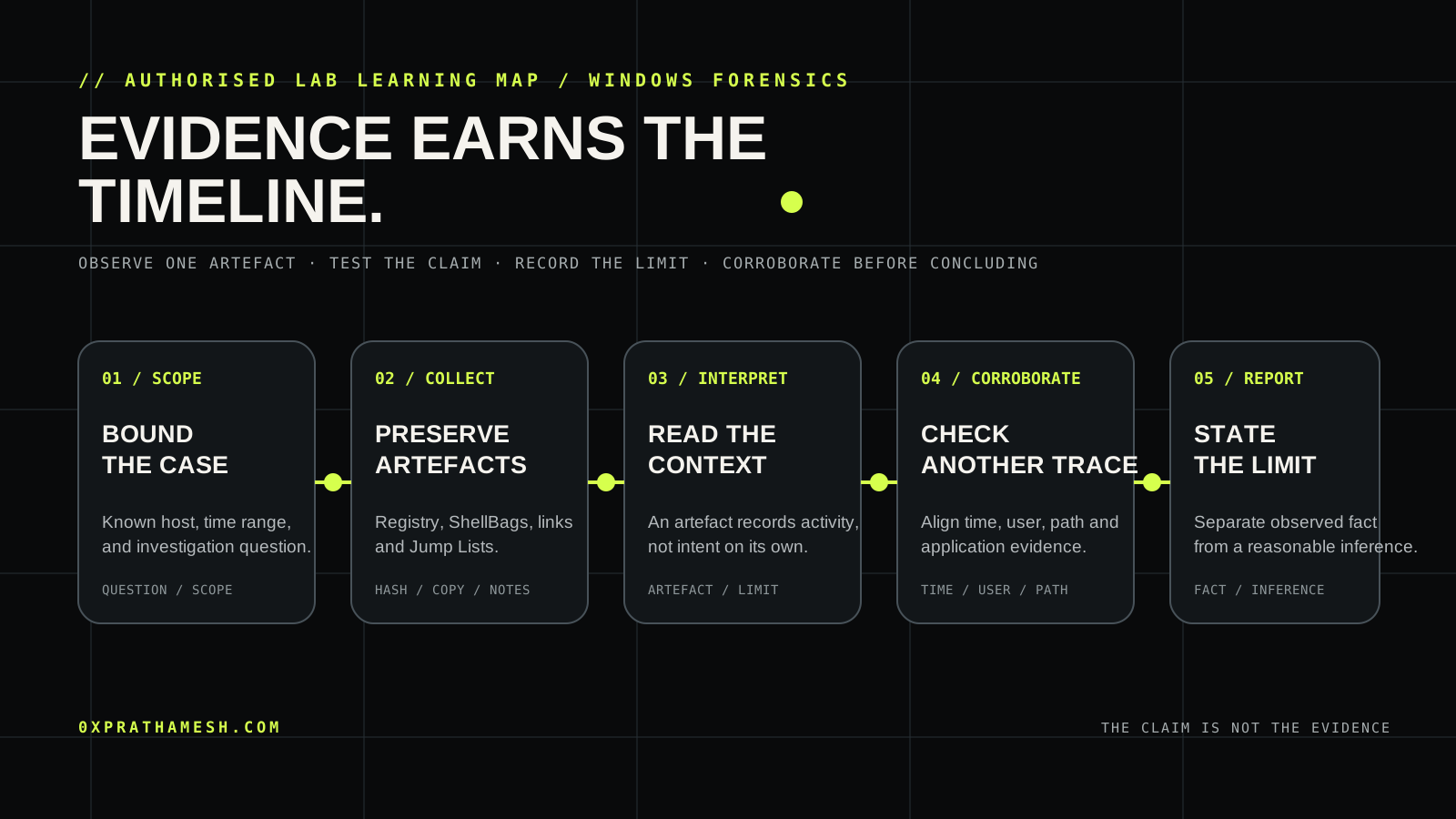
The easy mistake in Windows forensics is to let the first interesting artefact write the story. Windows User Activity Analysis teaches a better habit: collect the trace, ask what it can and cannot prove, then ask another trace the same question. The result is a timeline with limits, not a confident-looking guess.
The room presents a synthetic investigation around a user's recent activity. Its individual artefacts are familiar: Registry hives, ShellBags, Jump Lists and shortcut files. Their value appears when they are treated as different views of the same decision, not as interchangeable proof that a file was opened or an action was intentional.
01 · Scope before artefacts
Start by writing the case question in one sentence. In this room that might be: which user activity is supported during the defined period, and what evidence makes the claim defensible? The question decides what you preserve, which times you compare and what you deliberately avoid claiming.
| Question | Useful evidence | Limit to state |
|---|---|---|
| Which profile is relevant? | Profile path, SID mapping and case context. | A profile does not prove the person at the keyboard. |
| Which object was navigated? | ShellBag path data, shortcut target or Jump List entry. | A trace can record navigation without proving content was read. |
| When did it happen? | Artefact timestamps with their source and timezone. | Different timestamps describe different events. |
Memory aid: artefact, assertion, limitation. Put all three in your notes before advancing.
02 · Preserve and orient
The room supplies a controlled evidence set. In a real case, first preserve it with a documented acquisition process and work from a verified copy. Do not “clean up” a machine, open files casually, or run a wide tool collection before you know what it changes.
# Example only: list an already-acquired lab evidence directory.
# Do not run this against a live system outside an authorised case.
Get-ChildItem -LiteralPath 'C:\LabEvidence' -Force |
  Select-Object Name, Length, LastWriteTimeUtc
That is deliberately boring. Good initial triage often is. Record the room scope, the evidence location, tool version, timezone assumption and any missing source. A later reviewer should be able to tell whether a timestamp came from an artefact, a parser report or an analyst's own note.
03 · Read activity traces carefully
ShellBags are Registry-backed traces associated with folders a user has viewed through the Windows shell. They can be valuable when a folder is no longer present, but they are not a universal “file opened” record. Treat a ShellBag as a clue about navigation and compare it with other artefacts.
Jump Lists and Windows shortcut files answer a related but different question. Microsoft documents that a Shell link contains information used to access an object, including its path, working directory and optional command-line arguments. A shortcut's existence can therefore carry useful context about a target, but it should not be converted into a claim about user intent without corroboration.
# Lab-only inspection example: keep the parser output alongside its source.
Get-FileHash -Algorithm SHA256 'C:\LabEvidence\NTUSER.DAT'
# Parse a copied hive with your approved forensic tool; record its version and timezone.
The key decision is interpretation. If an artefact points to a sensitive path, do not immediately write “the user accessed the data”. First ask: which program creates this artefact, what event writes the relevant field, and which independent trace could support or contradict the claim?
Use path, user, time and application context as your joining keys. If they disagree, preserve the disagreement instead of forcing a neat timeline.
04 · Corroborate the timeline
Build the timeline around events, not files. A robust note records the observed time, its source, timezone, the exact assertion it supports and the confidence you assign. Then look for another artefact with an independent collection mechanism.
| Observed trace | Responsible claim | Corroboration to seek |
|---|---|---|
| ShellBag references a folder | The profile navigated to that folder or a related shell view. | A Jump List, shortcut or file-system trace with compatible timing. |
| A shortcut references an executable or document | A link was present and records target context. | Application evidence, Prefetch where appropriate, or timeline context. |
| A recent-items entry appears | The shell recorded a recent relationship. | Profile ownership, source path and a separate execution or access trace. |
For each room task, prefer a narrow query over a broad hunt. First filter to the named profile and case interval. Then inspect the specific path and timestamp that changes the hypothesis. This keeps the method reproducible and stops unrelated workstation noise becoming false context.
A useful report sentence looks like this: “The copied user hive contains a shell-navigation record for the stated path; a separate link artefact aligns with the same profile and interval. This supports navigation or selection, but the available artefacts do not independently prove the content was read or exfiltrated.” Precision makes the conclusion stronger, not weaker.
05 · Detect and reduce uncertainty
The defender's lesson is not to delete forensic traces. It is to create trustworthy, centrally retained events for the questions that matter. Endpoint telemetry, identity logs, file-server auditing and clear time synchronisation give responders better corroboration than a single user-profile artefact can provide.
| Gap | Defensive response |
|---|---|
| Profile artefacts alone cannot show data access or transfer. | Collect endpoint, identity and relevant file-service logs with aligned time sources. |
| Shortcuts and Jump Lists reveal context but not a full action chain. | Use EDR process telemetry and application logging to provide independent execution evidence. |
| A local artefact can be overwritten or removed. | Preserve logs centrally, retain them for investigations and test retrieval during exercises. |
What this room is really teaching
Windows User Activity Analysis is an exercise in intellectual restraint. Each artefact is useful because it has a specific origin and a specific blind spot. The practitioner who records both is more valuable than one who finds an exciting filename and turns it into a narrative.
Carry the pattern into every authorised investigation: scope the question, preserve the source, make the smallest claim the evidence supports, and ask an independent artefact to verify it. That is how an activity trace becomes a timeline someone else can trust.
Frequently asked questions
What is the easy mistake in Windows forensics?
Letting the first interesting artefact write the story. The companion insists on scope, preservation and independent corroboration before any conclusion.
Which artefacts matter most?
Registry activity, shell artefacts such as ShellBags and Jump Lists, and system logs, read as hypotheses that support or refute each other rather than as proof alone.
What is the durable detection design?
Centralise Windows event and artefact collection, define what evidence a timeline needs, and review the timeline for gaps and uncertainty before writing the incident conclusion.
Primary references and further practice
- TryHackMe: Windows User Activity Analysis official room
- Microsoft: Shell links and shortcut metadata
- Microsoft: Windows Registry overview
- For a related evidence-first lab, read The Agent That Went Rogue: Timeline to Impact or browse all authorised write-ups.